Plastic card artwork guide and templates Print-ready, first time.
Templates with bleed and safe area for CR80 cards, key tags and event passes — plus the handful of rules that stop a proof bouncing back.
CR80 card, landscapeSVG · 91.6 × 59.98mm with bleedCR80 card, portraitSVG · 59.98 × 91.6mm with bleedKey tag 54 × 29mmSVG · 60 × 35mm with bleedEvent pass 70 × 100mmSVG · 76 × 106mm with bleedA7 pass 74 × 105mmSVG · 80 × 111mm with bleed
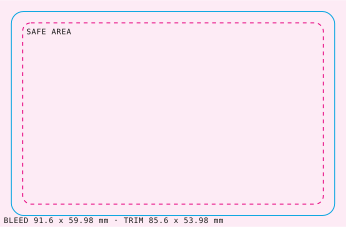
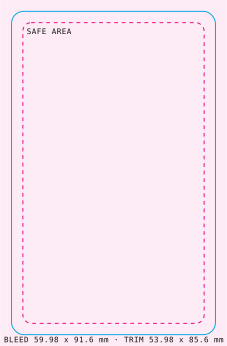
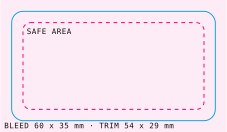
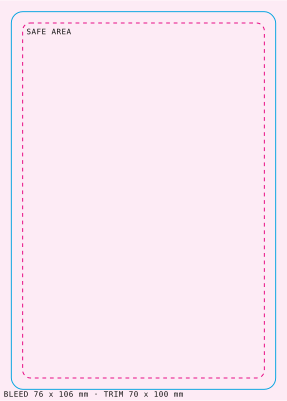
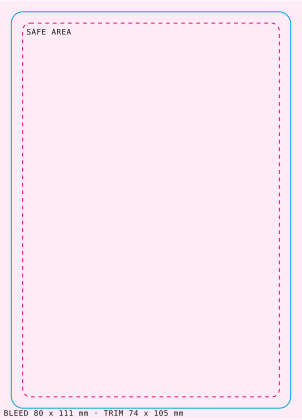
Templates open in Illustrator, Affinity, Inkscape or Figma. Prefer not to set up files? Design your card online, or choose artwork help in the quote builder.
File spec
| Trim size (CR80) | 85.60 × 53.98mm — supply artwork at 91.6 × 60mm (often rounded to 92 × 60mm) |
|---|---|
| Bleed | 3mm on every edge — extend backgrounds past the trim |
| Safe area | Keep text and logos at least 3mm inside the trim |
| Corners | Rounded, about 3mm radius — keep detail out of the corners |
| File type | PDF (PDF/X preferred). AI, EPS or high-res PNG accepted |
| Colour | CMYK. RGB files are converted, which can dull bright colours |
| Resolution | 300dpi at final size for photos and images |
| Fonts | Outlined or embedded; 6pt minimum for small text |
| White ink & foil | Separate vector layer or spot colour named “White” or “Foil” |
| Variable data | CSV or Excel, one row per card, with a sample layout |
Keep-clear zones
- Magnetic stripe: keep the top band of the card back (roughly the first 16mm) free of important artwork.
- Signature / write-on panel: leave the panel area plain.
- Barcodes & QR: dark on light, with a clear quiet zone around them — test scan before you send.
- Slots & holes: keep codes, chips and text clear of the punch position.
- NFC: print isn’t affected, but metallic inks and foil over the antenna can reduce read range.
Checklist
- Document at the template size, with bleed.
- Backgrounds extend to the bleed edge.
- Text inside the safe area, 6pt or larger.
- CMYK, images at 300dpi.
- White ink / foil on their own named layers.
- Guide layers deleted, fonts outlined, exported to PDF.
Artwork ready?
Price your cards and send the files — we check every job before the proof.